Parts desk
Stock you can trust, from the shortfall to the shelf
A part reserves when it’s quoted, leaves the shelf when work starts, and comes back when a job is declined or voided — every movement a ledger row with a reason. Shortfall and low-stock lists lead straight into a purchase order; receiving books stock in as each delivery lands.
14 days free. No card required.
How it runs
Who does what, in order
- 1 Parts
Starts from what’s blocking work
The To order tab is reserved demand above on-hand — every part a work order is waiting for. The Low tab is anything at or under its reorder level. Both feed Home’s Parts panel.
- 2 Parts, then an approver
Raises and approves the order
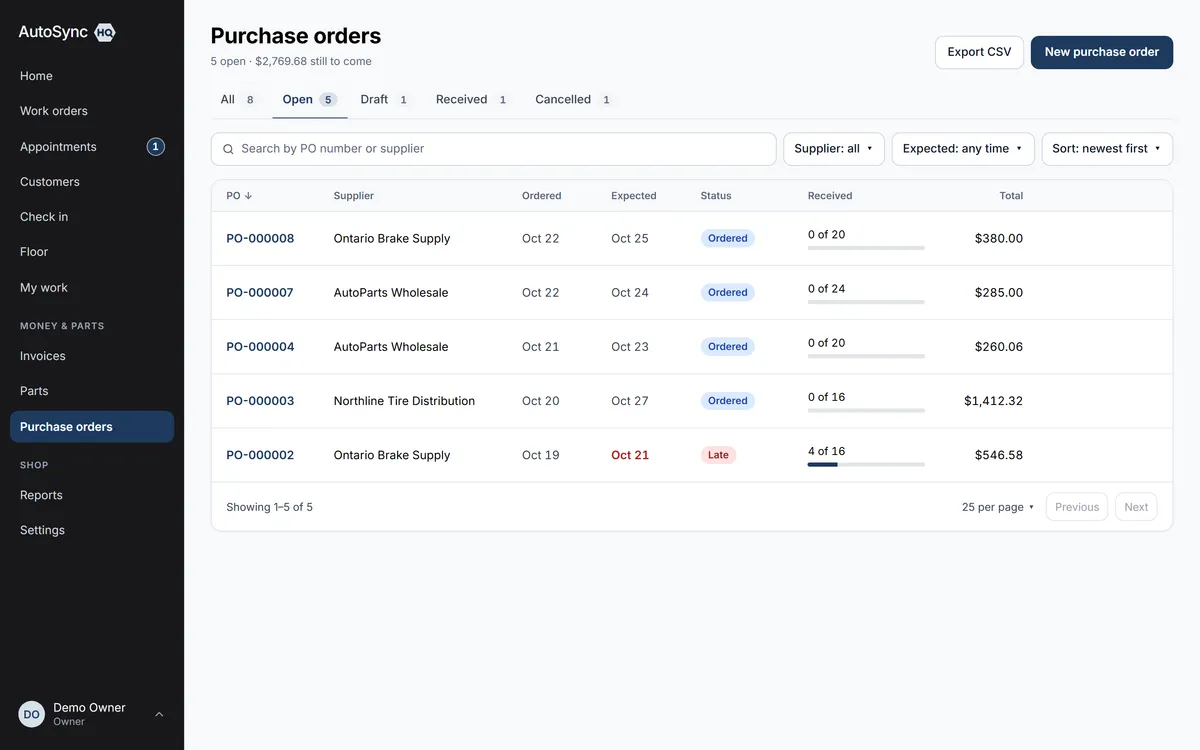
Raise purchase order from either list puts the parts on a draft for the supplier with quantities pre-filled. Over the spending limit, it waits for someone with the limit to approve. Draft → approved → sent → part-received → received, on one status bar.
- 3 Parts
Receives, in parts if it has to
Enter what arrived per line; a partial delivery leaves the PO open with the items meter showing what’s outstanding. Stock books in as each line lands, which clears the shortfall on the waiting work orders.
- 4 Owner, monthly
Reconciles
Stock value and any drift between the ledger and the on-hand figure, in one view. Count the bins that look wrong and adjust with a reason — you never type a stock number directly.
In detail
What’s in it
- Parts with categories, suppliers, bin locations, reorder levels, cost and selling price
- Cost and margin visible only to people you grant it to; cost columns marked in every list and export
- Two-phase stock: reserved on the estimate, consumed when work starts, returned on decline or void
- Purchase order approval against a spending limit; cancellation records who, when and why
- Suppliers sync to QuickBooks as vendors, purchase orders as purchase orders; a cancelled PO closes there too
- Bays and vehicle areas named your way; vehicle location shared by everyone; bay utilisation over any range
- CSV import of parts with a preview, and the parts list exports in the same format
Said up front
There is no parts-catalogue ordering (PartsTech, Nexpart) — you order with the supplier as you do today, and the PO records it.
Every plan
Everything on this page is in every plan, including the $59.99 one. The four plans differ by how many people can sign in — nothing else.
See the plans →Questions
Asked about this
Are inventory and purchase orders extra?
No. Parts, stock movements, suppliers, reorder levels, purchase orders with approval limits, partial receiving and stock reconciliation are all in every plan, including the $59.99 one.
Why can’t I just type the stock count?
Because a count nobody can explain is a count nobody trusts. Every change to stock is a ledger row with a reason — a job started, a delivery received, an adjustment after a stocktake — so the on-hand figure can always be traced.
Can I keep part costs away from technicians?
Yes. Cost and margin need the view-costs permission, which technicians don’t have by default. Lists and exports mark their cost columns explicitly, and a customer’s own data export never carries costs.
Run a real day through it before you decide.
Import your customers and vehicles, book a car in, run the inspection, invoice it — and judge it on your own numbers rather than a sales call.
14 days free. No card required. Cancel yourself, any time.